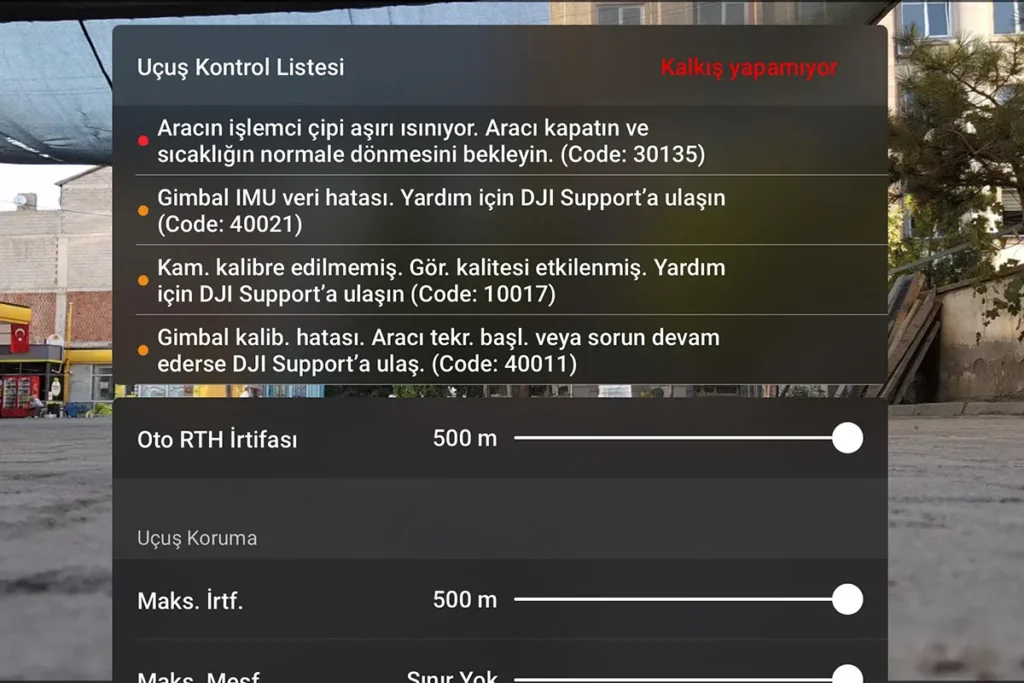
What Does the “Processor Overheated” Warning Mean in DJI Drones?
If you see a ‘Processor Overheated’ or ‘Vehicle’s Processor Chip is Overheating (Code: 30135)’ warning on your screen during flight or before your device has taken off, this situation may not always indicate a malfunction.
Of course, this warning could indicate a cooling problem in your device; however, due to the high-performance nature of DJI drones, it is possible to encounter this warning even when everything is completely fine. It is important to distinguish between what heating is ‘normal’ and what heating requires ‘technical service’.
Why Do Drones Overheat?
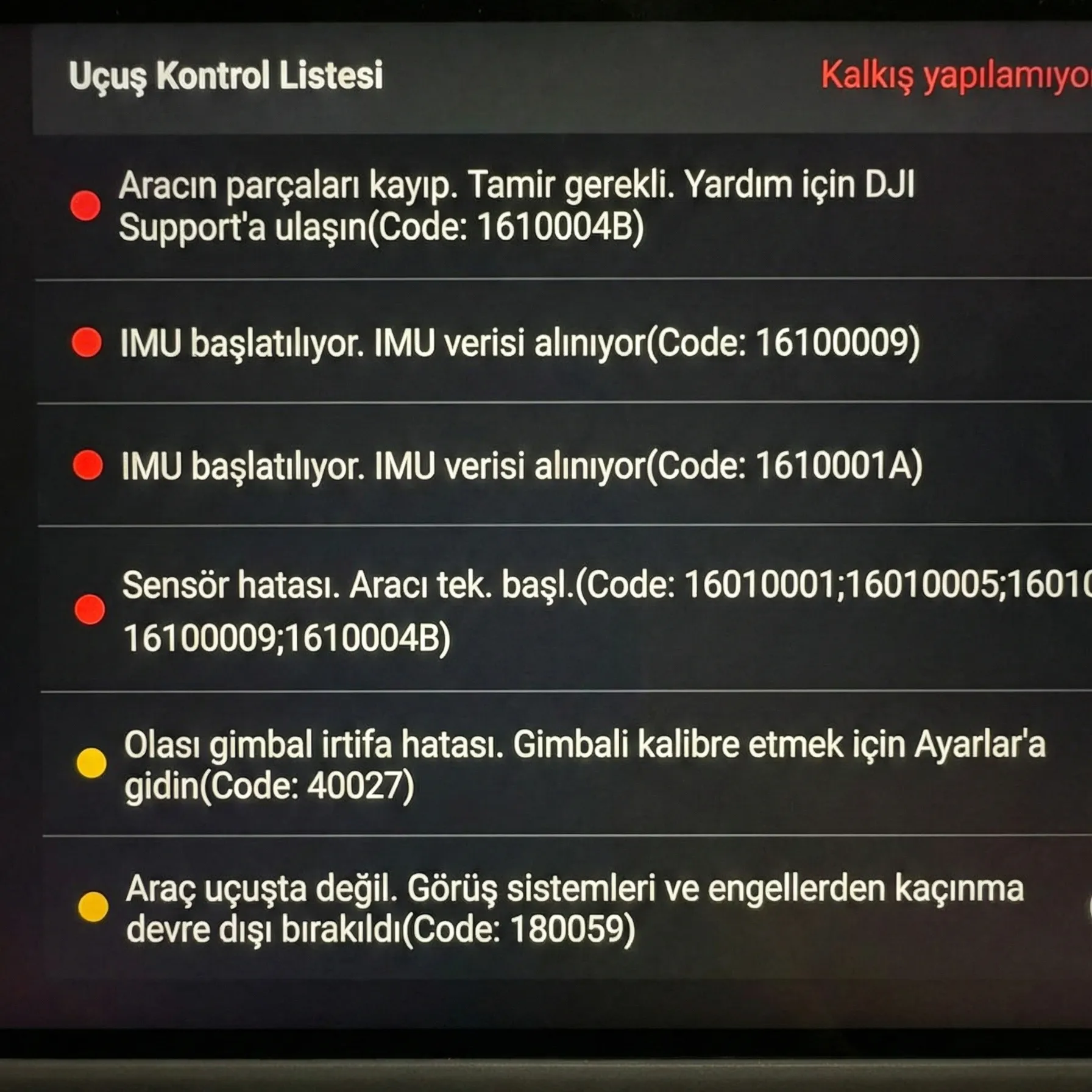
Appearing to users as “Chip System Overheated”, Code 30135 indicates that the drone’s central processor (Core Board) has exceeded its safe operating temperature.
Drones use high-performance processors and generate significant heat during flight. A Heatsink and Fan are used to dissipate this heat. This error code means, “I’m heating up but can’t cool down, I’m shutting myself off to avoid burning.” It’s not a software bug, but a physical cooling problem.
- Cooling Fan Failure: The tiny fan inside the drone can get jammed due to dust, sand, or impact, its blades can break, or its motor can burn out. A fan that does not rotate or rotates slowly cannot expel the heat.
- Dried Thermal Paste: Factory-applied thermal pastes dry out and “petrify” over time. In this case, the heat on the processor cannot be transferred to the cooling block. Even if the fan works, the processor will not cool down.
- Clogged Air Channels: Drones are like flying vacuum cleaners. If the air intake grilles are filled with dust and particles, the fresh air intake is blocked.
Why Do DJI Mini 3 and 4 Pro Heat Up on the Ground?
We need to make an important note here. Especially users of the DJI Mini 3 Pro and Mini 4 Pro notice that the device heats up significantly while updating or transferring videos on the ground. This is not a malfunction. The Mini series, aiming for lightness, does not have a fan or has very small fans. They need the airflow created by the propellers (i.e., flying) to cool down.
- Normal Condition: If the device heats up on the ground but the warning disappears once it takes off, there is no problem.
- Malfunction Condition: If the device gives the Code 30135 error while flying in the air, despite catching the wind, this is definitely a hardware malfunction.
Symptoms of Fan Failure: High Noise, Vibration, and Shutdown in Mid-Air
Your drone might give you these signals before receiving the error code:
- Abnormal Noise: If you hear a “friction sound”, “buzzing”, or “metallic clicking” from inside when you start the drone, the fan bearing is damaged.
- Vibration: If you feel a fine vibration when you touch the body of the drone, even if the motors are not running, the fan balance is off.
- Early Shutdown: If the drone shuts down due to overheating just 2-3 minutes after being turned on, before even starting to fly, the cooling system is completely out of order.
Do Not Put Your Drone in the Fridge!
The biggest mistake users make is to rapidly cool an overheated drone by placing it in front of an air conditioner or in a refrigerator. This sudden temperature change (Thermal Shock) can cause the solder on the motherboard to crack (Cold Solder). You might end up completely damaging the motherboard while trying to replace the fan. What You Should Do: Place the drone in a shaded and airy place, remove the battery, and let it cool down slowly at room temperature. Never try to spin the fan with compressed air from the outside; it can send reverse current to the fan’s electric motor, potentially burning the motherboard.
Odakon DJI Drone Service
If your drone constantly gives an overheating warning during flight, you need to contact the service immediately!
- Diagnostic Report
- 24/7 Support
- 6-Month Warranty
- Protection Plan Application
Repair Process: Original Fan Replacement and Thermal Maintenance
At our service center, the repair of the Code 30135 error is performed with a standard procedure:
- Thermal Cleaning: Dried old pastes on the motherboard are cleaned with special solutions.
- High-Performance Paste: Instead of standard paste, industrial thermal pastes with high thermal conductivity (high W/m-k value) are applied.
- Original Fan Replacement: A noisy or low-speed fan is replaced with an original DJI spare part.
- Stress Test: The device is assembled and run under load (in 4K recording mode) for 15 minutes to measure heat values.
Unique in the Industry: Transparent Pricing
Unlike services that won’t quote without seeing the device, we share the entire process and costs upfront. We offer honesty, not surprise bills.
Upfront Information
You will know the potential costs before sending your device.
Precision Repair
Targeted technical intervention, not trial and error.
Clear Approval
You won’t pay any extra fees beyond the approved amount.
2026 DJI Fan Replacement and Overheating Issue Repair Prices
The overheating issue is quite economical to address if intervened before the motherboard burns. However, costs increase if delayed. Estimated price ranges for the 1st Quarter of 2026 are as follows:
- Thermal Maintenance and Cleaning: If the fan is intact, just the maintenance process costs 2500 TL
- Mini 3 / 4 Pro Cooling Module Repair: Fan replacement or cooling block repair for these models ranges from 1,500 TL – 3,000 TL.
- Mavic 3 / Air 3 Fan Replacement: Original fan replacement for these devices with larger and dual fan systems ranges from 3,500 TL – 4,500 TL.
- Motherboard Repair: If the overheating has damaged the processor (CPU), costs can exceed 10,000 TL. Therefore, do not assume it will ‘cool down eventually’; early intervention can save lives.
Is it normal for my drone to overheat while resting on the ground?
Especially for models with passive cooling systems (fanless or with small fans) like the DJI Mini 3 Pro and Mini 4 Pro, this is completely normal. These devices need the wind created by the propellers to cool down. If you only get the warning on the ground while updating or transferring video, you can cool the device by placing it in front of a fan; this is not a malfunction. However, if the device gives this error while flying in the air, it is definitely a malfunction.
Can I put the drone in the refrigerator to cool it down quickly?
No, you absolutely should not. Suddenly placing a hot electronic device into a cold environment (refrigerator, in front of an air conditioner, etc.) creates a “Thermal Shock” effect. This causes the solder on the motherboard to crack (Cold Solder) and results in permanent damage to the device.
Can the Code 30135 error be fixed with a software update?
No. This error code indicates a physical cooling failure (broken fan, dried thermal paste, clogged grille). A software update cannot spin a physically broken fan or renew dried paste.
My drone is making a “buzzing” or “grinding” noise, what should I do?
If you hear a metallic clicking or grinding sound coming from inside the body when you turn on the drone, apart from the normal propeller sound, it means the cooling fan bearing is damaged. Even if the fan hasn’t completely stopped yet, it cannot cool the processor enough because its RPM has dropped. Having the fan replaced without waiting to get an error code prevents the motherboard from burning out.