
What is İlter? Why Does Your DJI Drone Suddenly Lose Signal?
If you are a DJI drone user and especially fly in Turkey, you have probably heard the name “İlter” on forums or social media. Perhaps something worse happened to you: Your drone suddenly lost control. The screen went black. Or your device flew away on its own to a completely different location (flyaway).
So, what is the İlter Drone System? Why do drones lose signal and what actually happens in the background when you get a “Signal Lost” warning? In this article, we examine this “invisible wall” that DJI users are most curious about, with all its technical details in the simplest way possible.
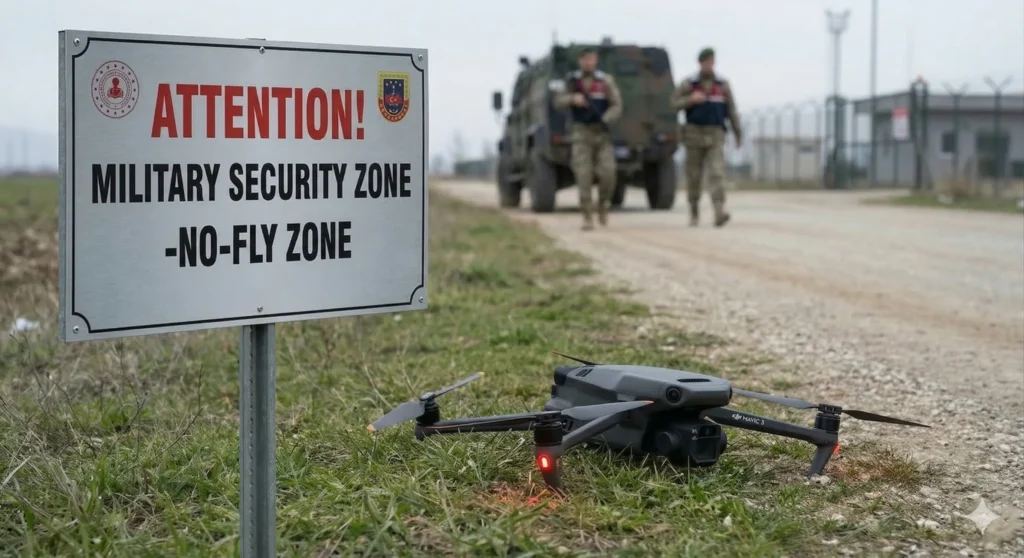
What is the İlter Drone Detection and Neutralization System?
Let us start with one of the most searched questions. İlter is a fully indigenous Anti-Drone (C-UAS) system developed by Boğaziçi Defense Technologies.
In short, İlter is an advanced electronic shield system that protects critical facilities, military zones, and airports against unauthorized drone flights. It is not just a signal jammer. Thanks to its integrated radars and sensors, it can detect a drone as soon as it takes off and neutralize it.
Where is the İlter System Used?
- Airports and surrounding areas
- Military bases and border outposts
- Government buildings and strategic public facilities
- Power plants
Why Does “Signal Lost” and Loss of Control Occur in DJI Drones?
Many pilots fear windy weather or battery depletion. However, the real nightmare for modern pilots is Electronic Warfare (EW) systems. If you have approached a restricted or prohibited zone, systems like İlter cut your drone’s communication through two main methods:
1. RF Jamming: Losing the Video Feed
The İlter system “floods” the 2.4 GHz and 5.8 GHz frequencies between the drone and your controller with very powerful signals.
- What you experience: First the image freezes, becomes pixelated, and drops to a grey screen. You will receive an “RC Signal Lost” warning in the DJI Fly app.
- Result: If your GPS signal is still available, your drone’s “Return to Home” (RTH) feature kicks in and the device usually recovers safely.
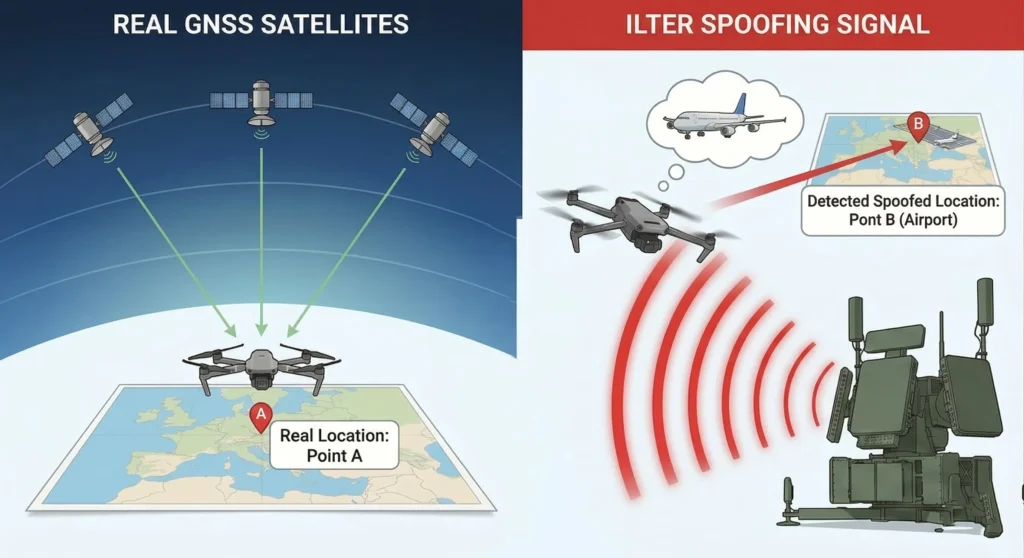
2. GPS Spoofing (Location Deception): The “Flyaway” Nightmare
This scenario is far more dangerous. The system not only blinds the drone’s GPS receiver but sends it fake coordinates.
- What you experience: While your drone thinks it is hovering in place, it actually drifts rapidly. Or it suddenly thinks it is at an airport kilometers away (e.g., Beirut Airport incidents).
- Result: The drone may perform a forced landing saying “I am in a restricted zone, I must land immediately”. Or it may fly at full speed in the wrong direction thinking “My home is that way” and disappear from sight (Flyaway).
Can İlter Bring Down DJI Drones?
Short answer: Yes, it can indirectly cause a crash.
İlter does not fire a physical projectile at the drone. However, by scrambling the drone’s “brain,” it causes:
- Battery Depletion: The drone may rapidly drain its battery while fighting wind without GPS signal or trying to reach a spoofed location, resulting in a forced landing.
- Uncontrolled Drift: A drone that switches to ATTI mode (manual balance mode) may drift with the wind and crash into a building or tree.
- Forced Landing (NFZ Protocol): If a standard DJI drone with stock firmware suddenly thinks it is inside an airport or military zone (No-Fly Zone) due to GPS spoofing, it stops listening to the pilot’s commands. DJI’s safety protocol kicks in and the device initiates a forced landing saying “I am in a restricted zone, I must land immediately” — even if that spot is the ocean or a forest. This is usually the moment pilots lose their aircraft.
Spoofing-Induced Landings
The main reason İlter or similar jammers force your drone into an emergency landing by making it believe it is at a “fake airport” is the device’s built-in NFZ (No-Fly Zone) software restrictions.
If you are a drone pilot and you have no knowledge about ATTI Mode (Manual Mode), you should familiarize yourself with it! What is ATTI Mode?
How Do You Know If Your Drone is Under Jammer Effect?
If you observe the following symptoms during flight, you have likely entered the range of an anti-drone system (İlter or similar):
- Sudden Drop in Satellite Count: If the number on your screen drops from 18-20 satellites suddenly to 0.
- Map Deviation: If the drone’s position on the map appears very different from where you actually see it.
- Meaningless Warnings: If you receive “Magnetic Interference” or “Compass Error” warnings.
- Control Unresponsiveness: If the drone responds late to your commands or does not respond at all.
Does a Signal Booster Work Against İlter?
There are many users searching for “İlter evasion” or “signal booster” online. However, the technical reality is: No, it does not work.
İlter systems have massive output power ranging from 250 to 750 Watts. Your controller’s power is below 1 Watt within legal limits. This is like a whisper trying to drown out stadium concert speakers. The best solution is to stay away from restricted zones.
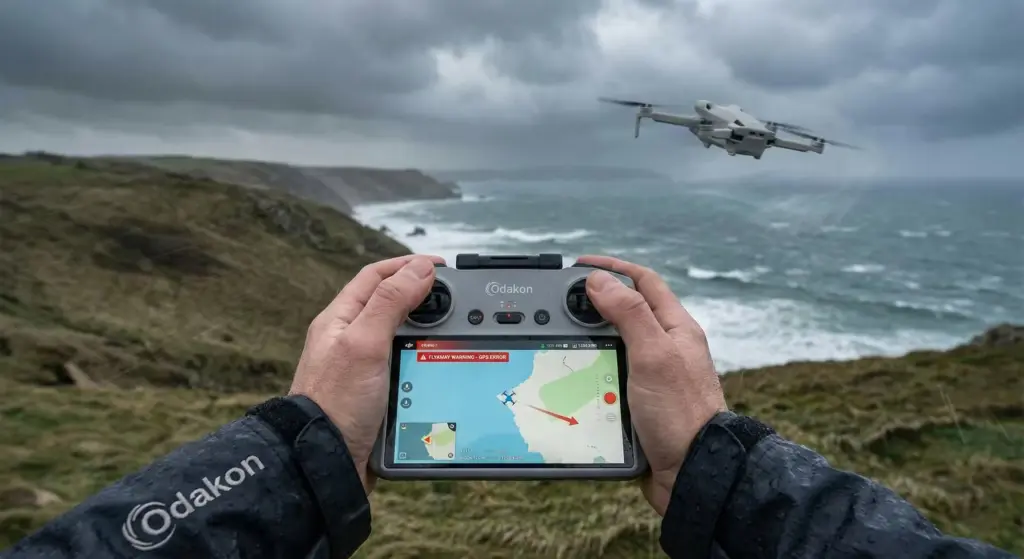
Summary: Tips for Safe Flying
No matter how much you trust your technological devices, national security systems are always superior. To avoid losing your drone and encountering legal issues:
- Check SHGM (Civil Aviation) Maps: Never fly in red zones.
- Maintain Visual Contact: When the screen freezes, the only way to save the drone is to fly it back manually by eye.
- Don’t Panic: In case of signal loss, stay calm, descend in altitude (for signal shadowing) and try to recall the device.
Remember, systems like İlter are not “drone enemies” but “invisible sentinels” working to protect our critical facilities.