
How to Create a DJI Drone Diagnostic Report Before and After Repair
Learn to generate comprehensive DJI drone diagnostic reports before and after repair using Odakon Next, ensuring clear communication with clients.
Learn to generate comprehensive DJI drone diagnostic reports before and after repair using Odakon Next, ensuring clear communication with clients.
Troubleshoot DJI RC 2 linking issues after a repair. Verify firmware, check compatibility, and perform hardware inspections to restore connection.
 Evren Delioglu
Troubleshoot why DJI Assistant 2 might not detect your drone on Windows 11. Learn essential USB, power, and driver checks.
Evren Delioglu
A detailed checklist for repair shops performing DJI Mini 4 Pro gimbal replacements, focusing on post-repair calibration and diagnostic steps.
Evren Delioglu
Understand DJI Mini 5 Pro gimbal calibration after replacement. Learn about standard methods, professional tools, and physical damage limitations.
Evren Delioglu
Complete guide to all DJI Mini series error codes. From GPS errors to gimbal faults, ESC issues to battery warnings — learn what each code means and how to fix it.
Evren Delioglu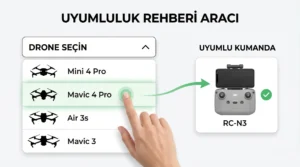
Full compatibility chart for every DJI drone and controller combination — Standard RC-N, FPV, Motion, and Smart Controller series with specs comparison.
Evren Delioglu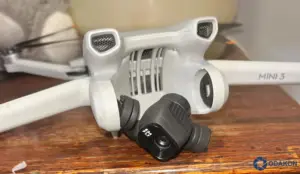
Fix the DJI Gimbal Stuck (Error 40002) warning with this complete guide. Step-by-step calibration, physical inspection, flex cable diagnosis for Mini, Air & Mavic series.
Evren Delioglu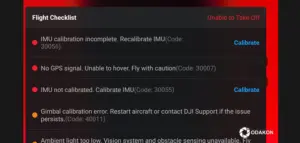
Complete guide to DJI IMU errors. Learn what IMU is, why calibration fails, and how to perform proper IMU calibration on Mini, Air & Mavic series drones step by step.
Evren Delioglu
Emergency guide for when your DJI drone falls in water. First 5-minute action plan, fatal mistakes to avoid, the rice myth debunked, and professional ultrasonic cleaning explained.
Evren Delioglu
Complete guide to all DJI Mavic series error codes — from Mavic Pro to Mavic 4 Pro. Gimbal, ESC, IMU, GPS, battery errors explained with professional solutions.
Evren Delioglu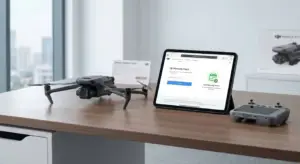
Learn how to check your DJI drone warranty status using the serial number. Step-by-step guide for Mini, Mavic, Air & Avata series — find S/N, query DJI database, understand coverage.
Evren Delioglu