
Compatibility checked: August 23, 2026. A shared O3/O4 label does not by itself make a DJI aircraft, controller, goggles and motion controller compatible. DJI must support the exact combination, often with minimum firmware. The tables below have been rebuilt from DJI’s current Help Center data.
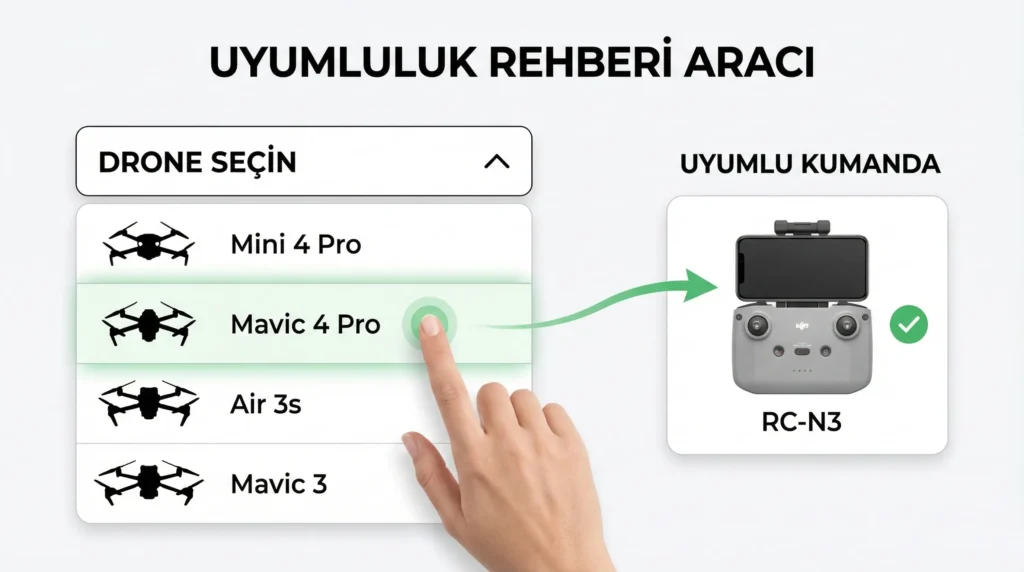
Phone-based RC-N controllers
| Controller | Main supported consumer aircraft |
|---|---|
| DJI RC-N1 / RC-N1C | Mavic Air 2, Air 2S, Mini 2, Mini 2 SE, Mini 3, Mini 3 Pro, Mini 4K and Mavic 3 series |
| DJI RC-N2 | Lito 1, Lito X1, Avata 360, Neo 2, Mini 5 Pro, Flip, Neo, Air 3S, Mini 4 Pro and Air 3 |
| DJI RC-N3 | Lito 1, Lito X1, Avata 360, Neo 2, Mini 5 Pro, Flip, Neo, Air 3S, Mini 4 Pro and Air 3 |
RC-N controllers use a compatible phone running DJI Fly for the live view. A controller being supported does not mean it ships with every bundle. When switching aircraft, DJI Fly’s Connection Guide may install the appropriate controller firmware.
DJI controllers with built-in screens
| Controller | Main supported consumer aircraft |
|---|---|
| DJI RC | Mini 3, Mini 3 Pro, Air 2S and Mavic 3 / 3 Cine / 3 Classic / 3 Pro series |
| DJI RC 2 | Lito 1, Lito X1, Avata 360, Neo 2, Mini 5 Pro, Flip, Neo, Air 3S, Mini 4 Pro, Air 3 and Mavic 4 Pro |
| DJI RC Pro | Air 2S, Mini 3 Pro and the consumer Mavic 3 series with compatible firmware |
| DJI RC Pro 2 | Mini 5 Pro, Mavic 4 Pro, Air 3S, Air 3 and Mini 4 Pro |
RC Pro 2 offers stronger hardware, third-party app support and a brighter display than RC 2, but a higher-end controller is not automatically backward-compatible with an aircraft using another transmission generation.
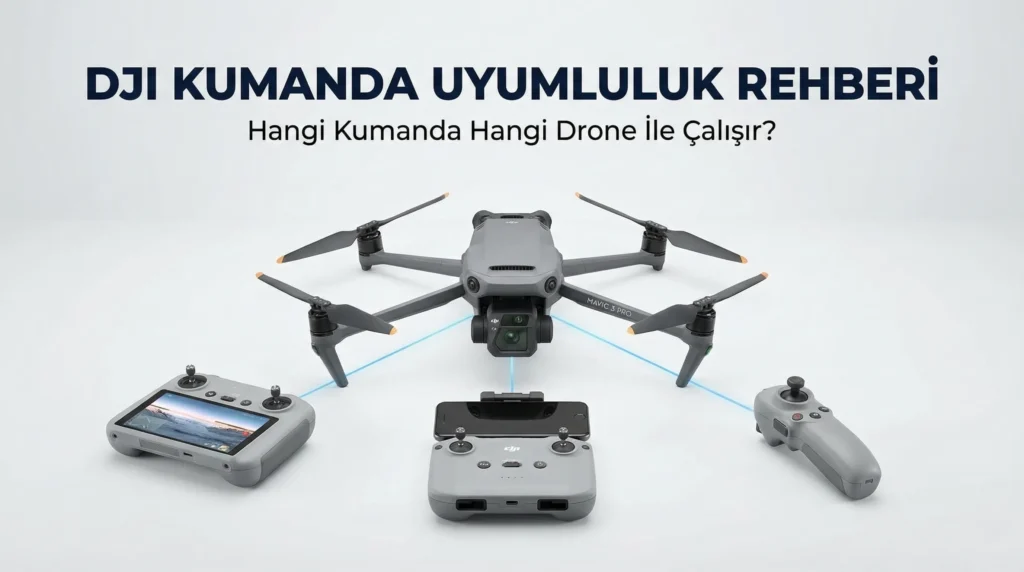
Goggles, Motion and FPV controller combinations
| Aircraft | Goggles | Control device |
|---|---|---|
| DJI Avata 360 | Goggles 3 or Goggles N3 | RC Motion 3 or FPV Remote Controller 3 |
| DJI Neo 2 | Goggles 3 or Goggles N3 | RC Motion 3 or FPV Remote Controller 3 |
| DJI Neo | Goggles 3 or Goggles N3 | RC Motion 3 or FPV Remote Controller 3 |
| DJI Avata 2 | Goggles 3/N3 or Goggles 2/Integra | RC Motion 3/FPV 3 or RC Motion 2/FPV 2, matched to the goggles |
| DJI Avata | Goggles 2, Integra or FPV Goggles V2 | DJI Motion Controller/RC Motion 2 or FPV Remote Controller 2, matched to the goggles |
| DJI Mini 4 Pro | Goggles 3 or Goggles 2/Integra | RC Motion 3 or RC Motion 2, matched to the goggles |
| DJI Air 3 | Goggles 3 or Goggles 2/Integra | RC Motion 3 or RC Motion 2, matched to the goggles |
| DJI Mini 3 Pro | Goggles 2 or Integra | RC Motion 2 |
| Consumer Mavic 3 series | Goggles 2 or Integra | RC Motion 2 |
| DJI FPV | FPV Goggles V2, Goggles 2 or Integra | FPV Remote Controller 2 or DJI Motion Controller, matched to the goggles |
DJI’s current Goggles/Motion chart marks Lito 1/X1, Mini 5 Pro, Mavic 4 Pro, Flip and Air 3S as unsupported. Sharing O4 technology is not enough to make Goggles 3 compatible.
Important Avata 360 distinction
For standard control, Avata 360 supports RC 2, RC-N2 and RC-N3. In goggles mode, it requires Goggles 3/N3 with RC Motion 3 or FPV Remote Controller 3. DJI states that Avata 360 does not support using goggles with RC 2/RC-N2/RC-N3 as the control combination.
Verify before buying
- Open DJI’s current Goggles and Motion compatibility chart.
- Match the full product names. RC and RC 2, or FPV Remote Controller 2 and 3, are different devices.
- Update DJI Fly and firmware on every device. Some combinations require a minimum version and restrict intelligent shooting modes while goggles are used.
- For a used controller, verify account/device binding and inspect ports, sticks, antennas and battery health.
Do DJI RC-N2 and RC-N3 support the same drones?
DJI’s August 2026 list is the same for Lito 1/X1, Neo 2, Mini 5 Pro, Flip, Neo, Air 3S, Mini 4 Pro and Air 3. Avata 360 also supports standard control with RC-N2 or RC-N3.
Does DJI RC Pro 2 work with the Mavic 3 series?
DJI’s current RC Pro 2 list covers Mini 5 Pro, Mavic 4 Pro, Air 3S, Air 3 and Mini 4 Pro. Use DJI RC or RC Pro for the consumer Mavic 3 series.
Can Avata 360 use DJI RC 2?
Yes for standard control. Goggles 3/N3 mode instead requires RC Motion 3 or FPV Remote Controller 3; DJI does not support goggles with RC 2/RC-N2/RC-N3 as the control combination.
Can DJI Lito X1 use Goggles 3?
No. DJI’s current Goggles and Motion compatibility chart marks Lito 1 and Lito X1 as unsupported.
Bottom line: Never buy a controller based only on the transmission-generation name. Verify the exact aircraft, current DJI chart and required goggles/firmware combination.