
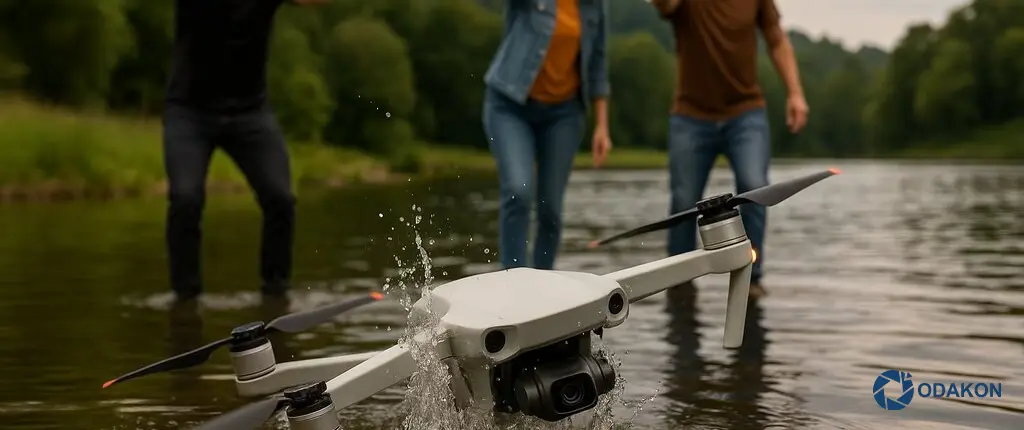
Did your drone fall in water? Don’t panic, but act fast! In this guide, we cover life-saving first response methods for drones that have had liquid contact, the truth about the “rice myth,” and how to protect your device from corrosion in full detail.
One of the worst nightmares for drone pilots is watching their device lose control and plunge into a puddle, pool, or the sea. We completely understand that feeling of helplessness. But right now, every second counts. If you’re dealing with a drone liquid contact situation, you may still have a chance to save your device — as long as you take the right steps.
At Odakon.com, the most severely damaged devices that arrive at our service center are usually those rendered unusable by incorrect interventions after falling in water (such as trying to turn the device on immediately or using a hairdryer).
In this article, we explain in full technical detail what you need to do during the “golden hours” — the critical first response window after a drone falls in water — and why professional drone liquid damage repair is essential.
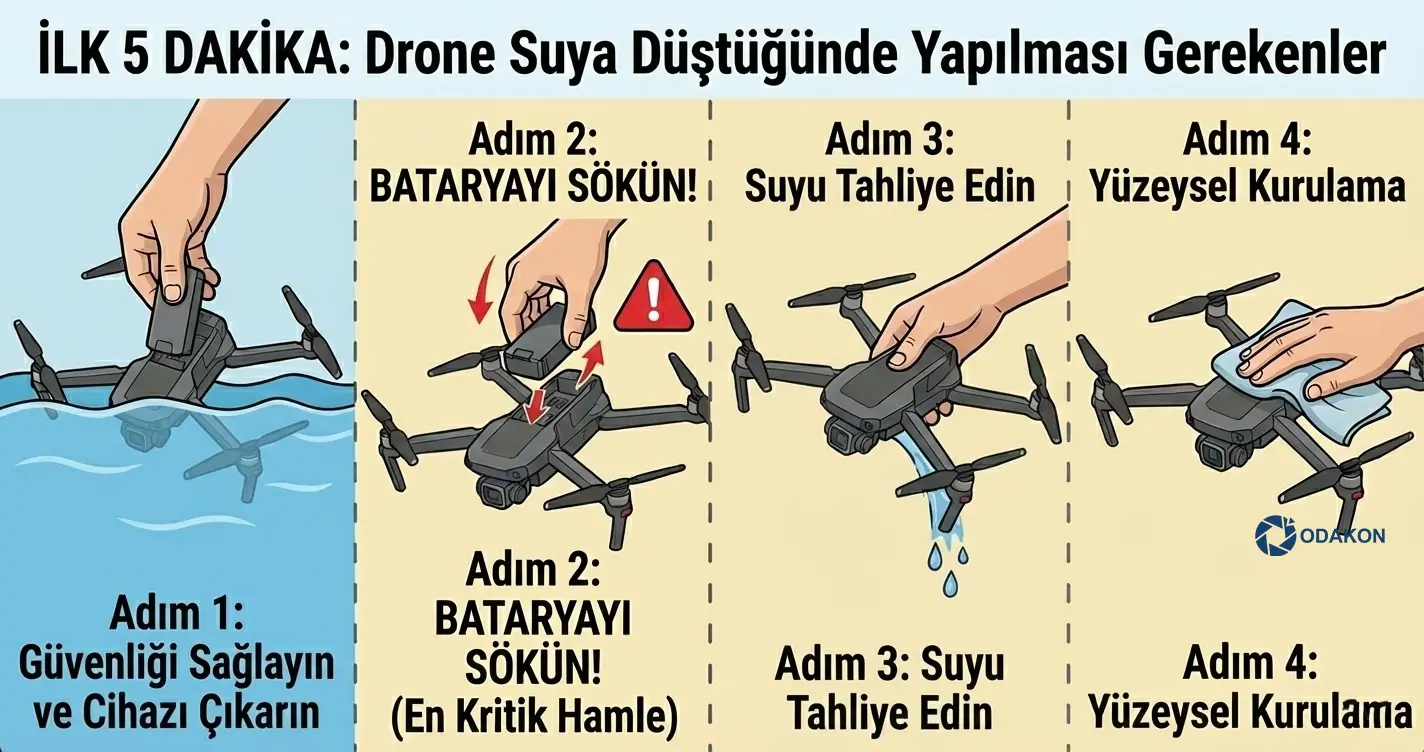
The First 5 Minutes: What to Do When Your Drone Falls in Water
The moment your drone makes contact with water, a countdown begins for its sensitive electronic circuits (ESC, motherboard, gimbal). Water — especially saltwater or chlorinated water — creates immediate conductivity across the circuits.
Here is the Emergency Action Plan you should follow without panicking:
Step 1: Ensure Safety and Retrieve the Device
First, think about your own safety. After retrieving the device from the water, immediately place it on a dry surface.
Step 2: REMOVE THE BATTERY! (The Most Critical Move)
This is the most vital action you can take. Even if the device appears to be off, voltage still circulates through the motherboard as long as the battery is connected. When water and electricity combine, a short circuit is inevitable.
- Remove the battery immediately.
- Never reinsert the battery or press the power button to check “Does it still work?”
- A wet drone battery is dangerous; if you notice swelling or heat, move it to a safe, non-flammable area (concrete surface, sand bucket).
Step 3: Drain the Water
Gently tilt the device (without shaking it vigorously) to let the accumulated water drain out. Pay special attention to allowing water to drain from the propeller motors and gimbal cavities.
Step 4: Surface Drying
Wipe the drone’s exterior surface with a microfiber cloth or paper towel. Gently clean the sensor glass and camera lens.
Fatal Mistakes Drone Owners Make (NEVER Do These!)
Misinformation on the internet can turn a 1,000 TL cleaning cost into a 20,000 TL “dead drone” disaster.
- ❌ Don’t Use a Hairdryer: The heat from a hairdryer can melt sensitive plastic components and solder joints inside the drone. Additionally, the air pressure can push water into deeper areas where it shouldn’t reach (such as the barometer sensor).
- ❌ Don’t Try to Power It On: The thought “Maybe it’s dried out, let me try” is the most common mistake that fries a drone’s motherboard. A single remaining drop of water is enough to blow the integrated circuits.
- ❌ Don’t Shake It Vigorously: Violently shaking the device to remove water can damage mechanical components (gimbal motors).
DO NOT TURN ON THE DEVICE!
Attempting to power on the device after liquid contact causes irreversible short circuits on the motherboard.
Please remove the battery and send your device to our expert team immediately without any further intervention.
SEND TO EMERGENCY SUPPORT TEAM ➤Urban Legend: Does Putting a Drone in Rice Actually Work?
When you search “drone fell in water” on Google, the first advice you’ll see is rice. However, as a drone service center, we say this clearly: Please don’t do it.
Why You Shouldn’t Use Rice:
- Starch Dust: The starch dust from rice enters through the drone’s ventilation grilles. When combined with moisture, this dust forms a sticky layer on the motherboard, making cleaning virtually impossible.
- Insufficient Reach: Rice only absorbs surface moisture. It cannot penetrate the depths of multi-layered circuit boards found in devices like drones.
- Accelerates Corrosion: A container full of rice creates a humid greenhouse effect, actually speeding up oxidation (rusting).
Alternative: If you can’t reach a professional service center immediately, using Silica Gel (desiccant packets) is much safer and more effective than rice.
The Invisible Danger: What Is Corrosion (Oxidation)?
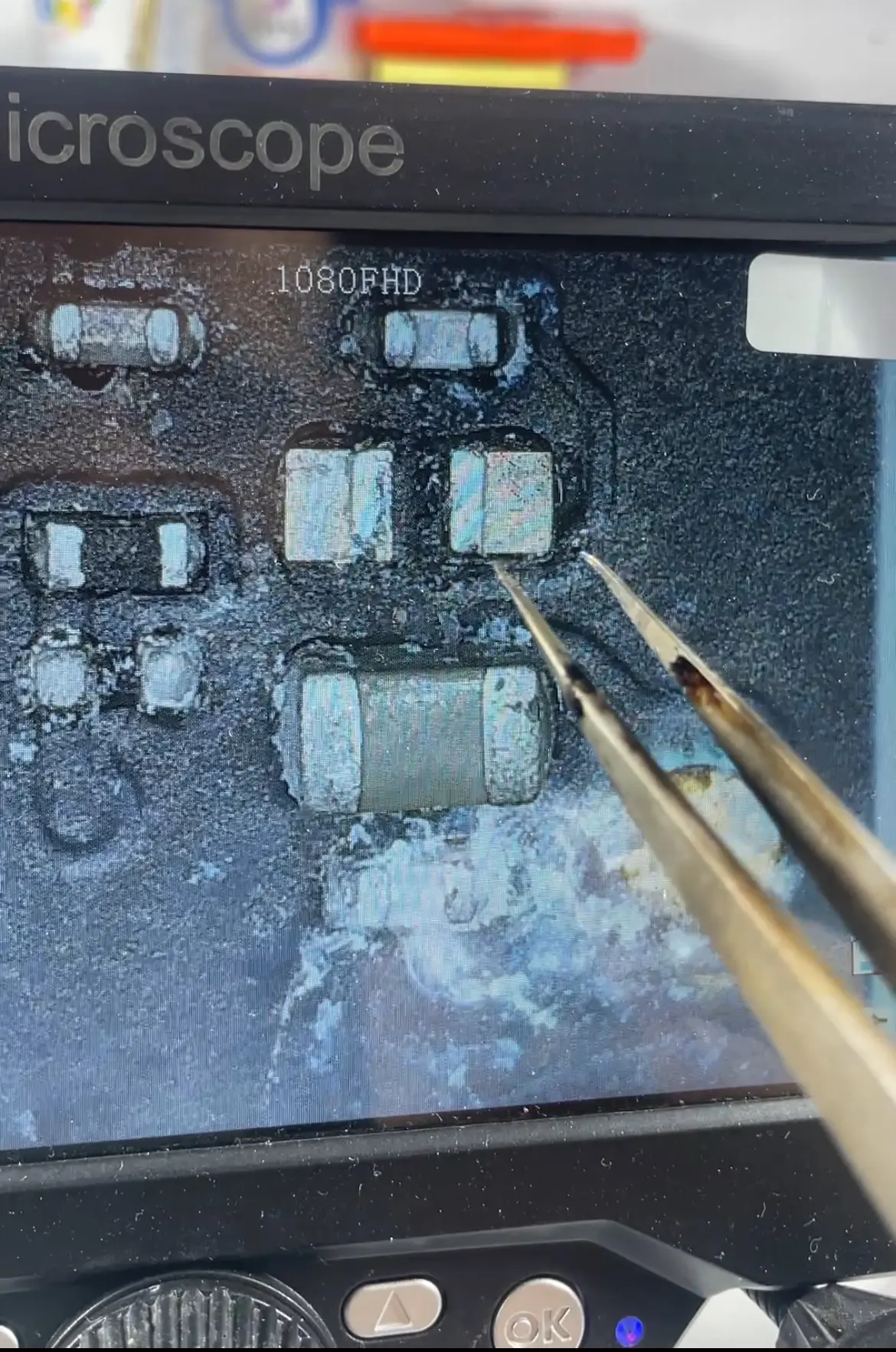
Even if your drone dries out, the danger isn’t over. When water evaporates, minerals and salt remain behind. These residues cause corrosion (oxidation/rusting) on metal surfaces.
- Silent Failure: Your device may work after drying. However, corrosion progresses slowly like cancer. One week later, your drone could suddenly lose power mid-flight and crash.
- For this reason, drones that fell in saltwater (DJI Mini, Air, Mavic series) must undergo professional chemical cleaning.
The Hidden Effect of Liquid Contact: “Capillary Action” and the Trap Beneath BGA Chips
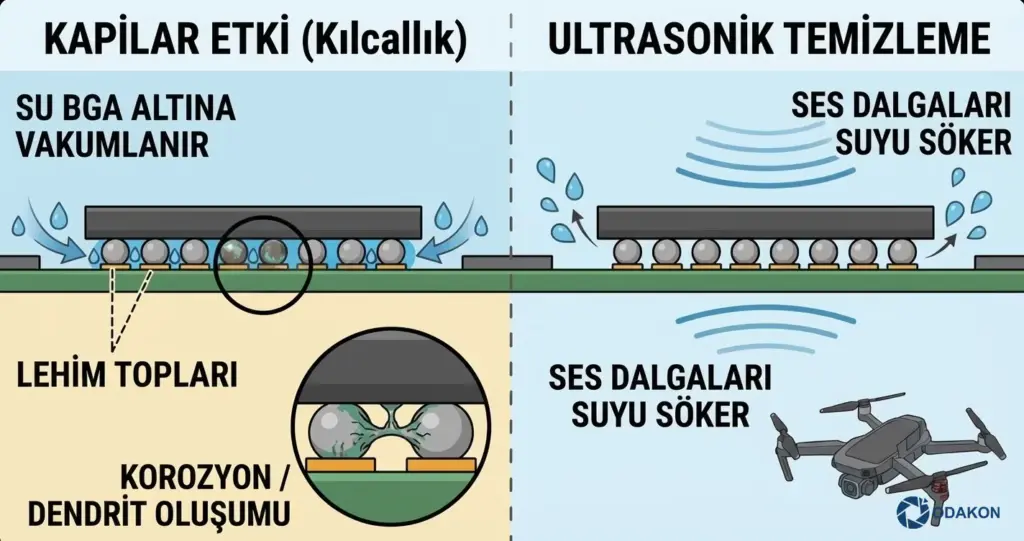
Most users (and amateur repairers) clean and dry the visible surface of the motherboard and assume the job is done. However, the processors used in DJI drones don’t have legs; they use BGA (Ball Grid Array) technology — chips mounted on hundreds of tiny solder balls.
Here’s the physics rule nobody tells you about: Capillary Action.
Due to its physical properties, water is drawn like a sponge into the millimetric gaps beneath these chips through a vacuum-like effect. Even if you use a hairdryer from the outside or wait for days, the water trapped between the chip and motherboard cannot evaporate.
- Result: This trapped moisture creates microscopic metal bridges called “Dendrites” between two solder balls when you reconnect the battery.
- Scenario: Your drone appears to work after drying; however, 10 days later when these metal bridges cause a short circuit, your drone may suddenly throw a “Motor Error” mid-flight and crash.
This is why Ultrasonic Cleaning is essential — sound waves are the only method capable of vibrating and dislodging water from those narrow gaps.
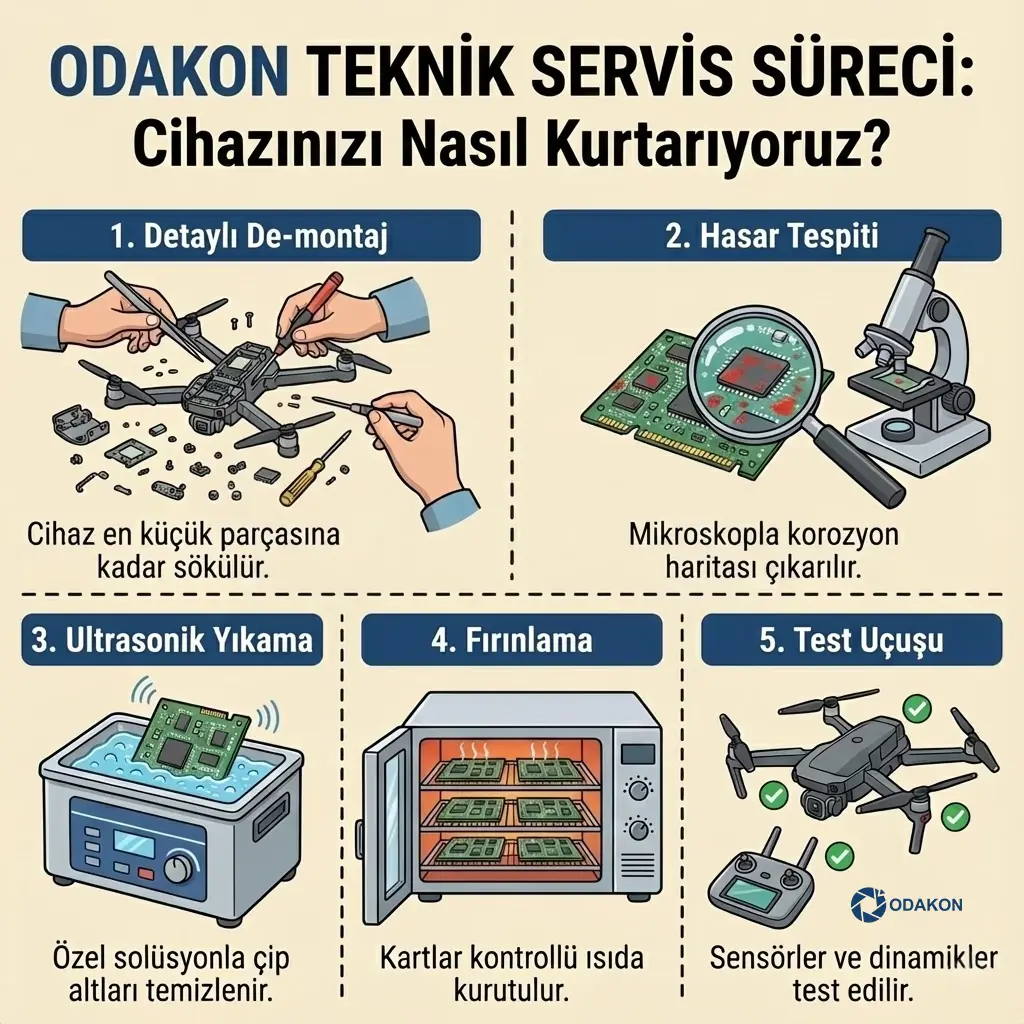
5. Odakon Service Center Process: How We Save Your Device
Home drying procedures are only first aid. Professional intervention is essential for your drone to fly safely again. Here is the procedure we follow at our Odakon.com workshop:
- Detailed Disassembly: The device is disassembled down to the smallest screw by our expert technicians.
- Damage Assessment: The motherboard and ESC boards are examined under a microscope to create a corrosion map.
- Ultrasonic Washing: The motherboard is placed in ultrasonic cleaning devices containing special chemical solutions. This process cleans the oxidation beneath chips that brushes cannot reach.
- Baking: The boards are dried in special ovens at controlled temperatures.
- Test Flight: All sensors and flight dynamics are tested before the device is delivered to you.
Conclusion: Don’t Take the Risk
Your drone is a valuable investment. Entrust it to expert hands, not a jar of rice. If you’ve experienced liquid contact, don’t try to power it on and contact us immediately.