
DJI Drone Gimbal Calibration After Replacement
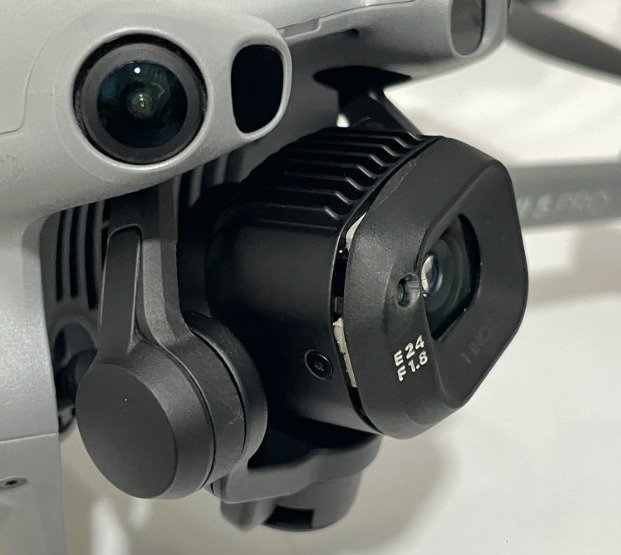
The DJI Mini 5 Pro has become a favorite among drone enthusiasts thanks to its advanced flight dynamics and excellent camera performance. However, as every drone user knows, in the event of a possible crash or hard landing, one of the first and most commonly damaged areas is the sensitive gimbal and camera unit.
If you have replaced or physically repaired the gimbal of your DJI Mini 5 Pro drone, you have likely realized that the job doesn’t end with just “installing the part.” If you encounter issues such as gimbal errors on the screen, shaking, a crooked horizon line, or an unresponsive camera when you turn on your drone, you need professional software-based gimbal calibration.
Why Is Calibration Required After Gimbal Replacement?
DJI uses a hardware pairing (serial number matching) system to ensure part security and integration in its devices. When you install a new gimbal on your drone, the motherboard does not recognize the serial number of this new part and will not operate correctly with it.
No matter how flawlessly you perform the physical replacement, unless a DJI Mini 5 Pro gimbal calibration (Gimbal Joint Calibration) is performed using specialized software, you will experience the following issues:
- Persistent “Gimbal Calibration Error” or hardware mismatch warnings appearing on the screen.
- Gimbal motor overload warnings (Gimbal Motor Overload).
- The camera not staying level or remaining tilted to the right/left.
- Jello effect (shaking or vibrations) occurring in the camera during flight.
This is where we provide a professional remote solution, so you do not need to leave your drone at a repair service for days or pay unnecessary repair costs.
Our Remote DJI Mini 5 Pro Gimbal Calibration Service
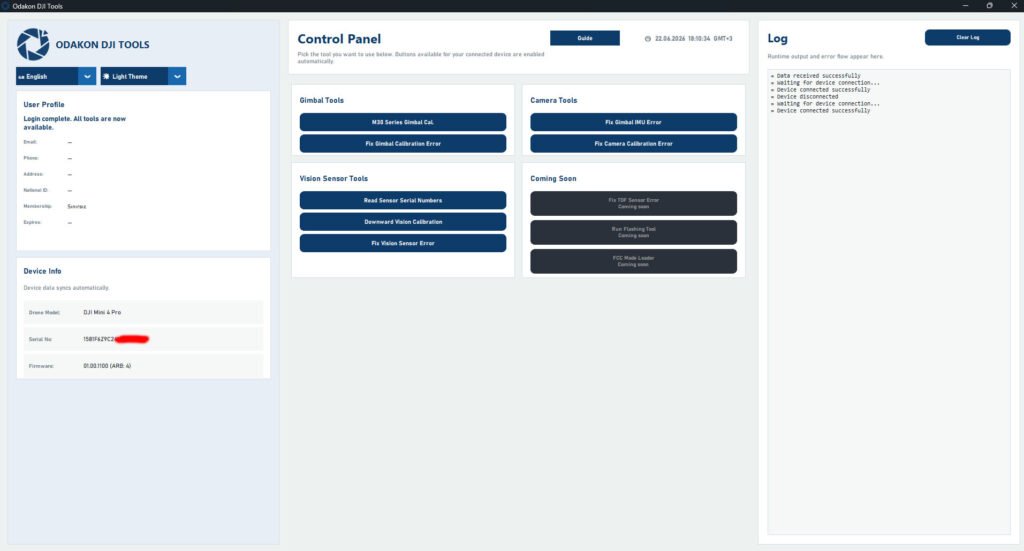
Our company uses proprietary calibration software developed for this process. If you have repaired or replaced your drone’s gimbal yourself (or had a local technician do it), simply contact us for the remaining software pairing process.
Without the need to ship your device, we resolve the issue remotely from your location using only your computer and your drone.
How Does the Process Work?
- Preparation: Ensure that the physical assembly of your drone is completely finished, the cables are intact, and the drone powers on.
- Software Installation: Install AnyDesk, a remote desktop connection program, on your computer.
- Connection: Connect your drone to your computer with a USB cable following the instructions we provide.
- Calibration: By securely connecting to your computer via AnyDesk, we introduce your drone’s new gimbal to the motherboard using our specialized DJI calibration software, and calibrate the motor limits and axis settings from scratch.
- Testing and Delivery: After the process is complete, we restart your drone and confirm that the gimbal is stable and error-free.
⚠️ VERY IMPORTANT: System Requirements (Please Read)
The advanced calibration software we use requires a specific operating system environment. For us to perform this process, your computer must absolutely meet the following conditions:
- Windows Operating System Only: Your computer must have an original, native Windows (Windows 10 or Windows 11) operating system.
- Mac Devices Are Strictly Not Supported: We cannot perform the process on Apple computers with the macOS operating system.
- Virtual Windows Is Not Supported: “I installed Windows on my Mac via Bootcamp or Parallels, let’s do it from there” solutions also do not work due to the hardware port reading structure of our calibration software. You must use a standard PC or laptop with natively installed Windows.
To avoid wasting your time, please ensure you have a standard Windows computer before connecting.
Why Choose Us?
- Risk-Free Process: Your drone physically stays with you. You can watch the process on your screen.
- Guaranteed Solution: As long as there is no physical defect (broken cable, broken motor, etc.), our software calibration process is designed to resolve the issue reliably.
Did you replace the gimbal on your DJI Mini 5 Pro drone but are stuck at the software pairing stage? Contact us immediately to get rid of error codes and fly your device with factory-level stability.